Giveaways
Run, plan, template and reroll giveaways, with entry conditions and bonus entries.
Run giveaways in a channel or a thread. Members enter with a button or a reaction. When the giveaway ends, the bot draws the winners and announces them.
Create a giveaway#
From the dashboard:
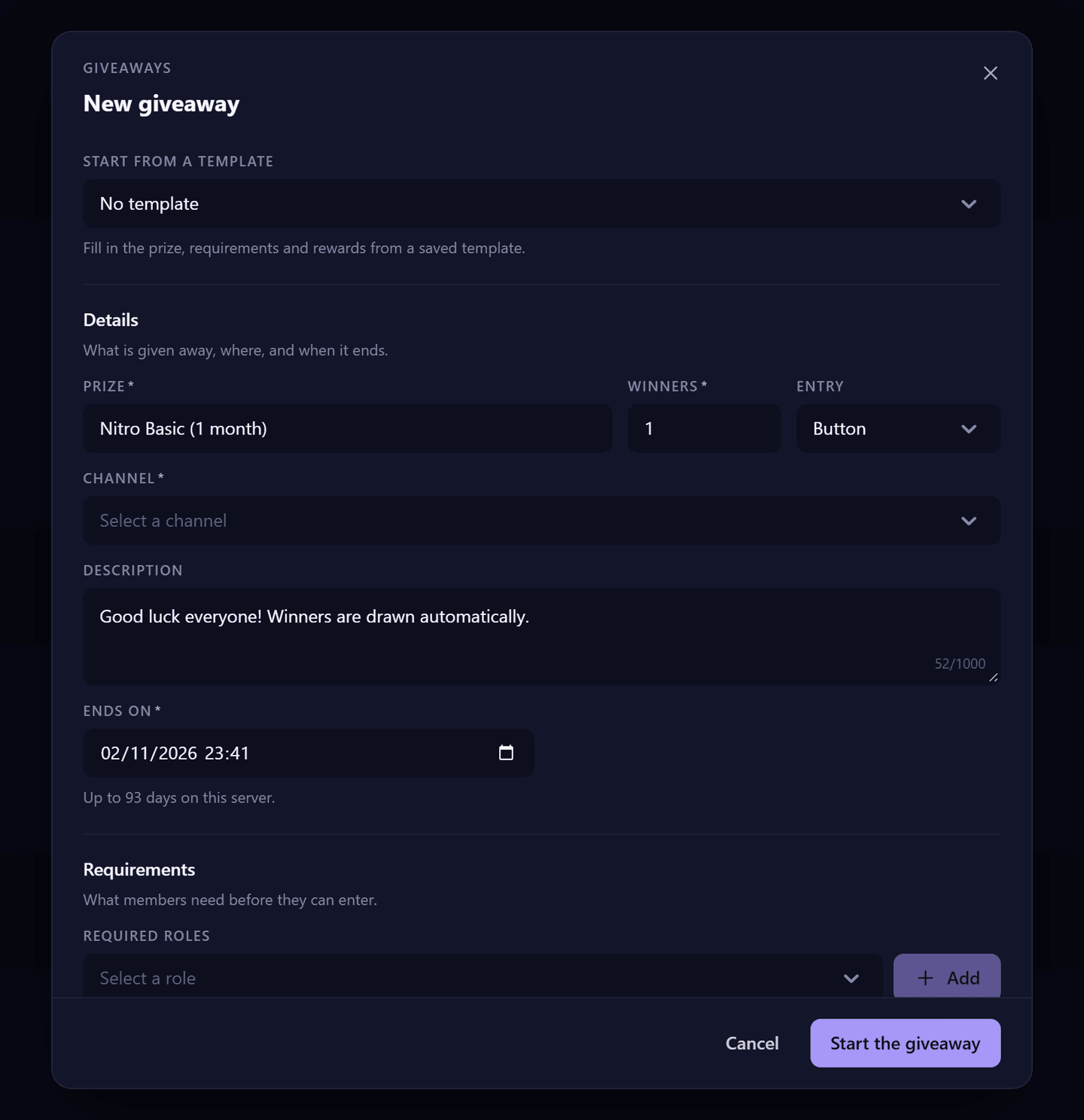
- Dashboard → Giveaways → New.
- Optional: start from a template.
- Fill in the prize, the number of winners, the channel and the end date.
- Optional: conditions (required roles, messages needed) and rewards (bonus entries, winner roles).
- Optional: Save as a template.
- Click Create.
With a command: /giveaway start duration:<duration> winners:<number> prize:<prize> [options]. Durations are written like 1w 2d 6h 30m (see Durations).
Options#
| Option | What it does | Free | Premium |
|---|---|---|---|
| Prize | Up to 190 characters. | ✓ | ✓ |
| Description | Up to 1,000 characters. | ✓ | ✓ |
| Winners | Number of winners. | 1 to 20 | 1 to 100 |
| Duration | From 10 seconds… | up to 1 month (31 days) | up to 3 months (93 days) |
| Channel | A text channel or a thread. | ✓ | ✓ |
| Entry type | Button (default) or reaction. | ✓ | ✓ |
| Required roles | Up to 10 roles; members need any one of them (default) or all. | ✓ | ✓ |
| Number of roles required | Members need at least this many of the required roles. | ✓ | ✓ |
| Messages needed | Minimum messages counted. | ✓ | ✓ |
| Account age, server age | Minimum age of the account, or time on the server (up to 25 years). | ✓ | ✓ |
| Blacklisted roles | Up to 5 roles that can't enter this giveaway. | ✓ | ✓ |
| Bonus entries | Up to 5 roles with 1 to 1,000 extra entries each, written @role 10 @other 20. | ✓ | ✓ |
| Winner roles | Roles given to the winners. | — | 5 |
Manage giveaways#
| Action | Dashboard | Command | Plan |
|---|---|---|---|
| End now | End | /giveaway end <message ID> | Free |
| Delete (nobody drawn) | Delete | /giveaway delete <message ID> | Free |
| Reroll an ended giveaway | Reroll, with a number of winners | /giveaway reroll <message ID> [winners] | Free (up to 20 winners) |
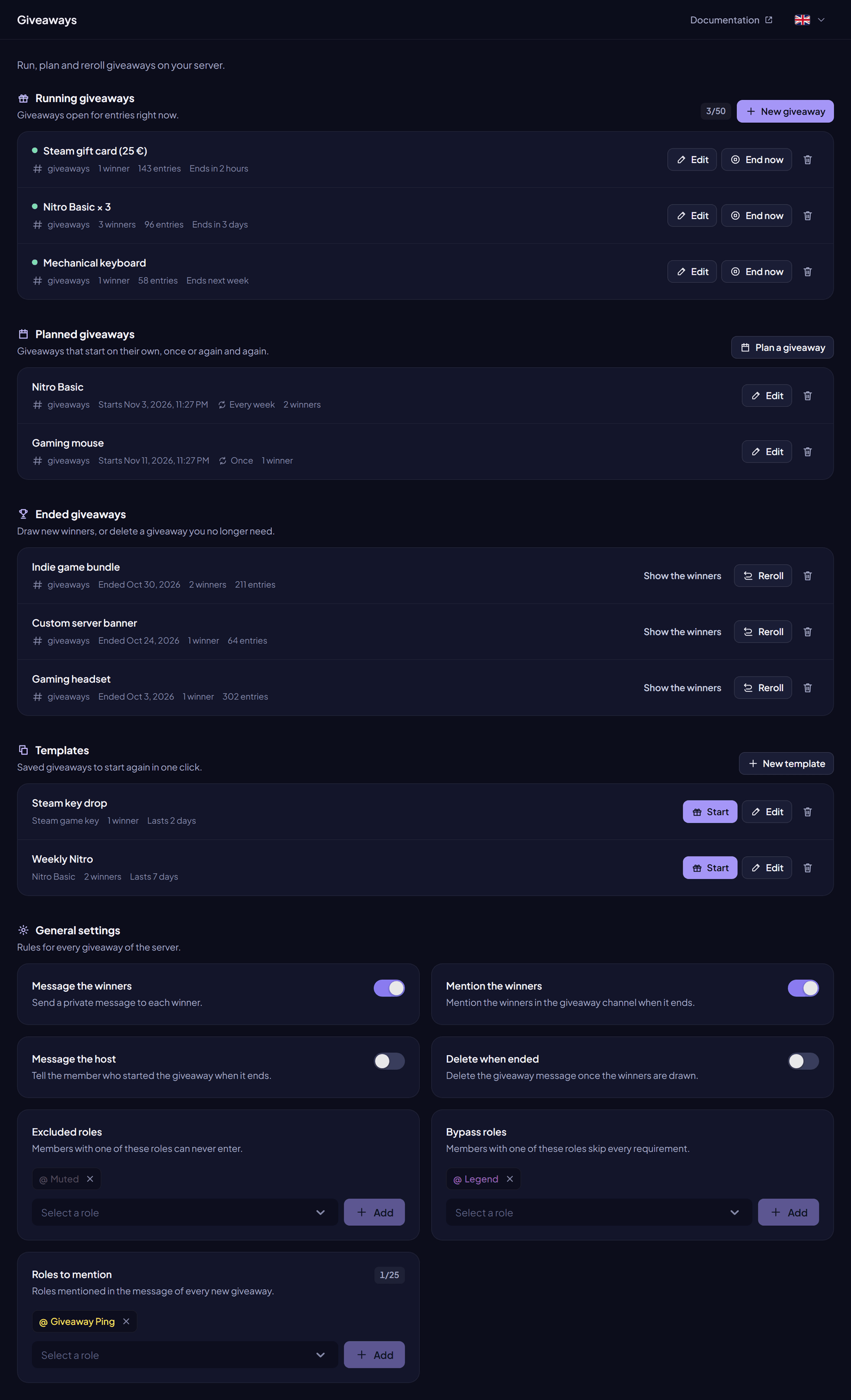
| List | Running and ended sections | /giveaway list [ended] | Free |
| Edit a running giveaway | Edit | — | Premium |
Templates#
A template saves giveaway settings to reuse them. Create one from the dashboard (Save as a template in the form) or with /giveaway template create, then start it with /giveaway template start <name> [channel].
| Free | Premium | |
|---|---|---|
| Templates | 1 | Unlimited |
Planned giveaways#
A planned giveaway starts later, once or every day, week or month.
- Dashboard → Giveaways → Plan.
/giveaway scheduled create starts_in:<duration> repeat:<once|daily|weekly|monthly> …or/giveaway scheduled from-template.- Start from 1 minute to 1 year ahead.
- If a start fails (channel deleted, missing permission, running limit reached), the plan shows the reason. A repeated plan tries again at its next date.
| Free | Premium | |
|---|---|---|
| Planned giveaways | 1 | Unlimited |
General settings#
| Setting | What it does | Free | Premium |
|---|---|---|---|
| Excluded roles | Members with these roles can never enter. | 5 | Unlimited |
| Bypass roles | Members with these roles skip the conditions. | 5 | Unlimited |
| Roles mentioned at the start | Pinged when a giveaway starts. | 1 | 25 |
| Running giveaways at once | 5 | 50 | |
| Vote button on the giveaway | An InviteCount vote button is shown under giveaways. | Shown | Removed |
Commands#
All /giveaway commands need Administrator. Full details: Giveaway commands.
Permissions#
In the giveaway channel: View Channel, Send Messages (Send Messages in Threads for a thread), Embed Links, Read Message History, and Add Reactions for reaction giveaways. Manage Roles for winner roles.