Verification
Ask new members to prove they are human with a button, a captcha or a website check before they get access.
Verification asks new members to prove they are human before they get access. Until they verify, they don't get their roles and their inviter isn't credited.
Every level and both flows are free. Only the custom panel message needs Premium.
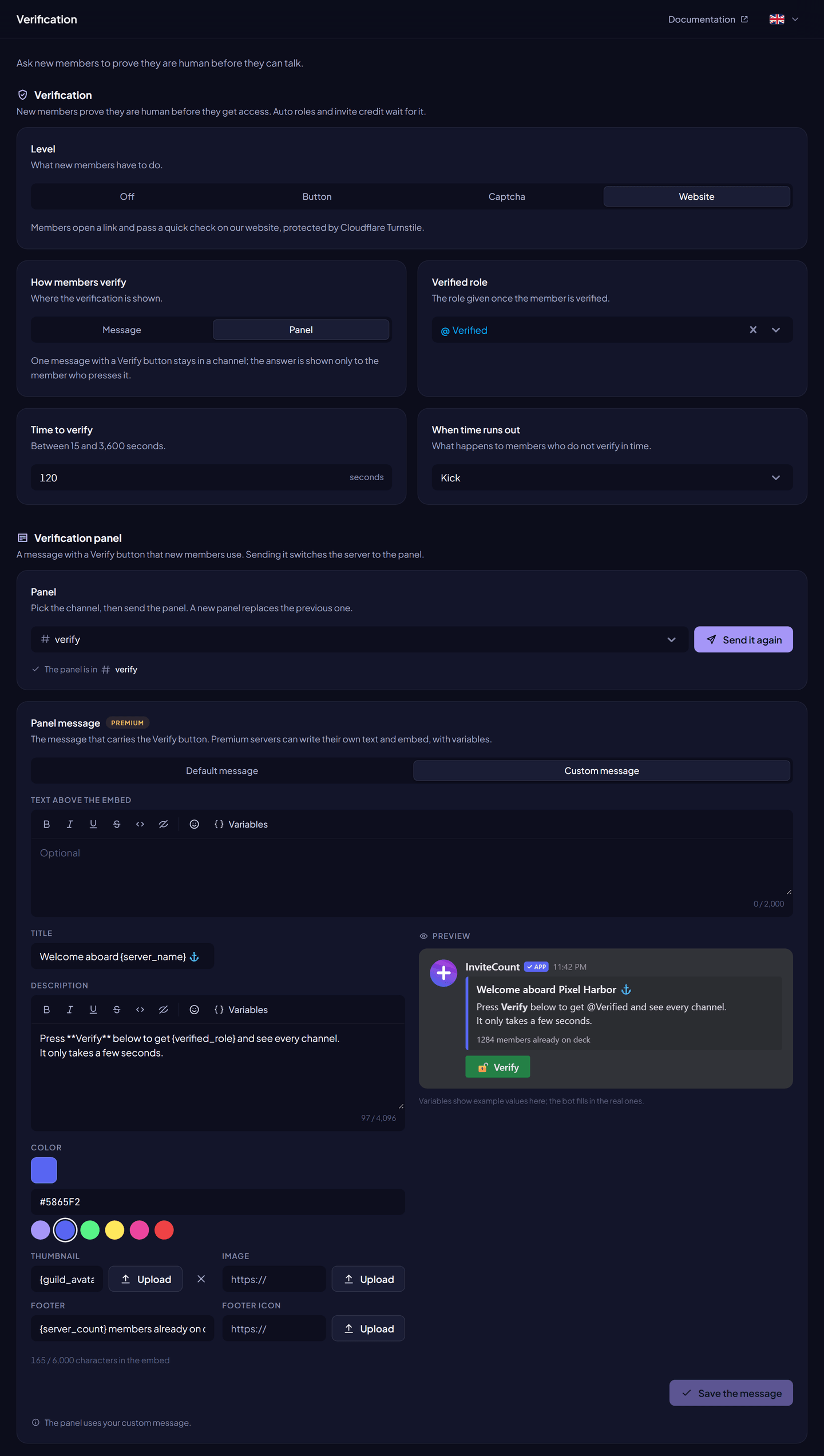
Levels#
| Level | What the member does |
|---|---|
| Button | Presses a button to confirm they are human. |
| Captcha | Types the code shown on an image. |
| Website | Opens a personal link and passes a Cloudflare Turnstile check on invite-count.xyz. |
The website link is valid for 15 minutes, works once, and is bound to one member of one server.
Flows#
| Flow | How it works |
|---|---|
| Message | The bot sends the challenge to each new member in DMs. If their DMs are closed, it sends it in the Channel for closed messages. |
| Panel | One message with a Verify button stays in a channel. New members press it and get their challenge privately. |
Set it up#
- Dashboard → Verification.
- Choose a Level.
- Choose How members verify: Message or Panel.
- Choose the Verified role, given after verification.
- Set the Time to verify and the action when time runs out.
- Click Save changes.
- For the panel flow: choose the Panel channel and click Send the panel. Or run
/verification panel #channel.
Settings#
| Setting | What it does | Free | Premium |
|---|---|---|---|
| Level | Off, Button, Captcha or Website. | ✓ | ✓ |
| How members verify | Message or Panel. | ✓ | ✓ |
| Verified role | Role given after verification. | ✓ | ✓ |
| Time to verify | 15 to 600 seconds with the message flow, 15 to 3,600 with the panel. | ✓ | ✓ |
| Action at expiry | Nothing, kick or ban. | ✓ | ✓ |
| Channel for closed messages | Message flow: where the challenge goes when DMs are closed. | ✓ | ✓ |
| Panel channel | Panel flow: where the panel is posted. | ✓ | ✓ |
| Panel message | The text and embed of the panel, with panel variables. Free servers use the default message. | Default | Custom |
| Log verifications | Posts each success or failure in the Log channel. | ✓ | ✓ |
Saving a custom panel message edits the panel already posted. Back to the default message restores it. When Premium ends, the panel goes back to the default message the next time it is posted or edited.
Commands#
| Command | What it does | Permission |
|---|---|---|
/verify | Sends you the verification of the server in DMs. | Everyone |
/autoverify <member> | Verifies a member at once. | Administrator |
/verification panel <channel> | Sends the panel. | Administrator |
/verification level, action, timeout, role, channel, disabled | Older setup commands (the dashboard is recommended). | Administrator |
Works with#
- Auto roles and invite credit come after verification.
- Raid protection can force at least a captcha during a raid, when verification is set up.
Permissions#
Manage Roles (verified role), Kick Members or Ban Members for the action at expiry, and View Channel, Send Messages and Embed Links in the panel channel.
Privacy#
The website check runs on Cloudflare Turnstile. InviteCount only keeps a fingerprint of the link, the server and member it was made for, and when it was used; these are deleted about one day after the link expires.