Logs and invite alerts
Send the bot's events to a channel, and get alerted when a member reaches an invite milestone (Premium).
Logs post the bot's events in a channel of your server. Invite alerts tell you when a member reaches a number of invites, in the logs and, if you want, to your own web service. Both need Premium.
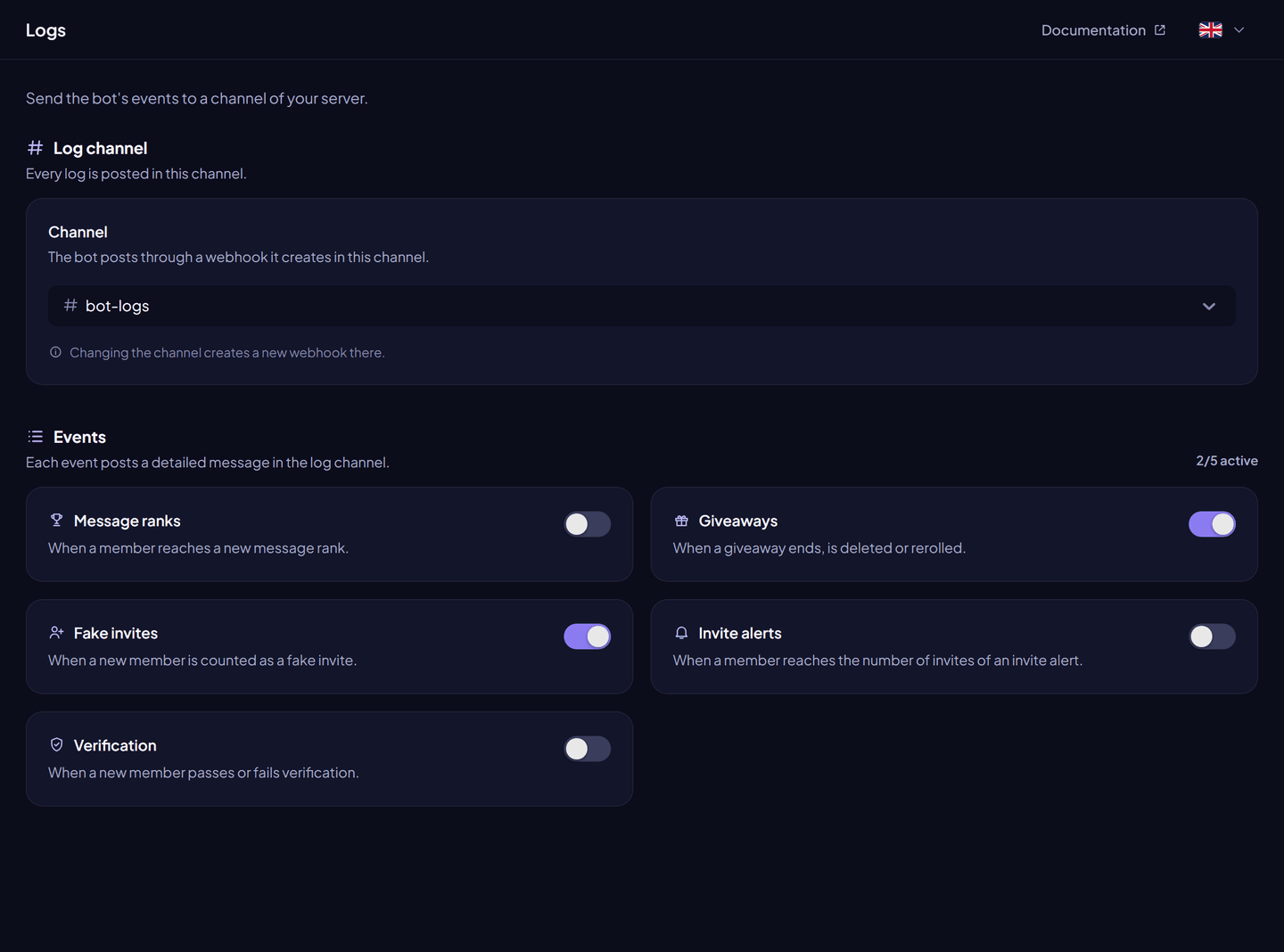
Logs#
From the dashboard:
- Dashboard → Logs.
- Choose the Channel. The bot creates a webhook there (changing the channel creates a new one).
- Turn on the events you want.
- Click Save changes.
With commands (Administrator): /logger channel <channel>, /logger add <log>, /logger remove <log>, /logger list. all turns every log on or off.
| Log | Posted when… |
|---|---|
Message ranks (ranks) | A member reaches a new message reward role. |
Giveaways (giveaways) | A giveaway ends, is deleted or rerolled. |
Fake invites (fakes_invites) | A new member is counted as a fake invite, with the rule that matched. |
Invite alerts (alert_invites) | A member reaches the number of invites of an invite alert. |
Verification (verification) | A new member passes or fails verification. |
Invite alerts#
An invite alert fires when a member reaches an exact number of invites, for example 10, 50 or 100.
- Turn on the Invite alerts log and choose its channel.
- Add milestones:
/alert-invites add amount:<number>. List them with/alert-invites list, remove them with/alert-invites remove.
Webhook#
The bot can also send each alert to your own HTTPS endpoint:
| Command | What it does |
|---|---|
/alert-invites webhook url <webhook_url> | Sets the address. Private and local addresses are refused. |
/alert-invites webhook secret | Shows the secret sent with each request. |
/alert-invites webhook reset-secret | Creates a new secret. |
/alert-invites webhook test | Sends a test request. |
The bot sends a POST request with a JSON body, and the secret in the Authorization header:
{
  "user": {"username": "john", "id": "987654321098765432", "avatar": "a1b2c3…", "discriminator": "0", "bot": false},
  "invites": 50,
  "guild_id": "123456789012345678",
  "type": "reached"
}
Check the Authorization header to make sure the request comes from InviteCount.
When Premium ends#
Logs and alerts stop. Your settings stay saved and come back with Premium.
Permissions#
Manage Webhooks in the log channel (Administrator covers it; it is not in the invite link).