Pinned statistics
Keep growth charts in a channel, redrawn by the bot every 15 minutes (Premium).
Pinned statistics are charts the bot posts in a channel, pins, and redraws every 15 minutes. This module needs Premium.
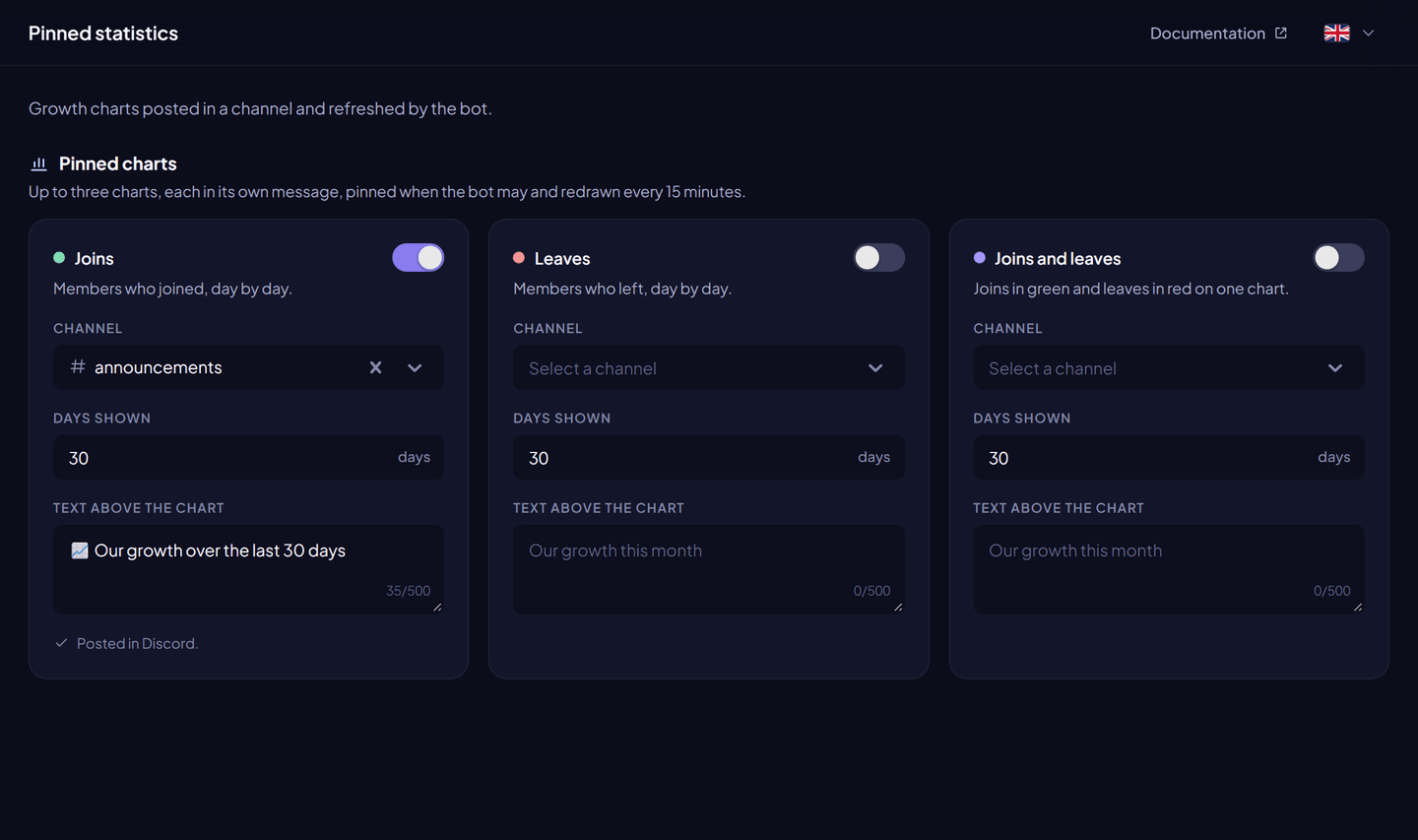
Charts#
| Chart | Content |
|---|---|
| Joins | Members who joined, day by day. |
| Leaves | Members who left, day by day. |
| Joins and leaves | Joins in green and leaves in red on one chart. |
Each chart is independent: its own channel, its own text and its own number of days.
Set up a chart#
From the dashboard:
- Dashboard → Pinned statistics.
- For a chart, turn on Post this chart.
- Choose the Channel, the Days shown (5 to 90) and an optional Text above the chart (500 characters).
- Click Save changes. The chart is posted at once.
With a command: /pinstats set kind:<joins|leaves|combined> channel:#channel [message] [days], and /pinstats disable kind:<…> to stop it. You need Manage Server.
Good to know#
- If the chart's message is deleted, a new one is posted at the next update.
- Moving a chart to another channel posts a new message there.
- A chart turns itself off when the channel is deleted, a permission is missing, or Premium ends. The dashboard shows the reason.
Permissions#
View Channel, Send Messages, Embed Links and Attach Files in the channel. Pin Messages to pin the chart.