History and statistics
Find any ticket, read its transcript, and measure your team's response times and satisfaction.
History#
Dashboard → Tickets → History lists every ticket of the server, open or closed.
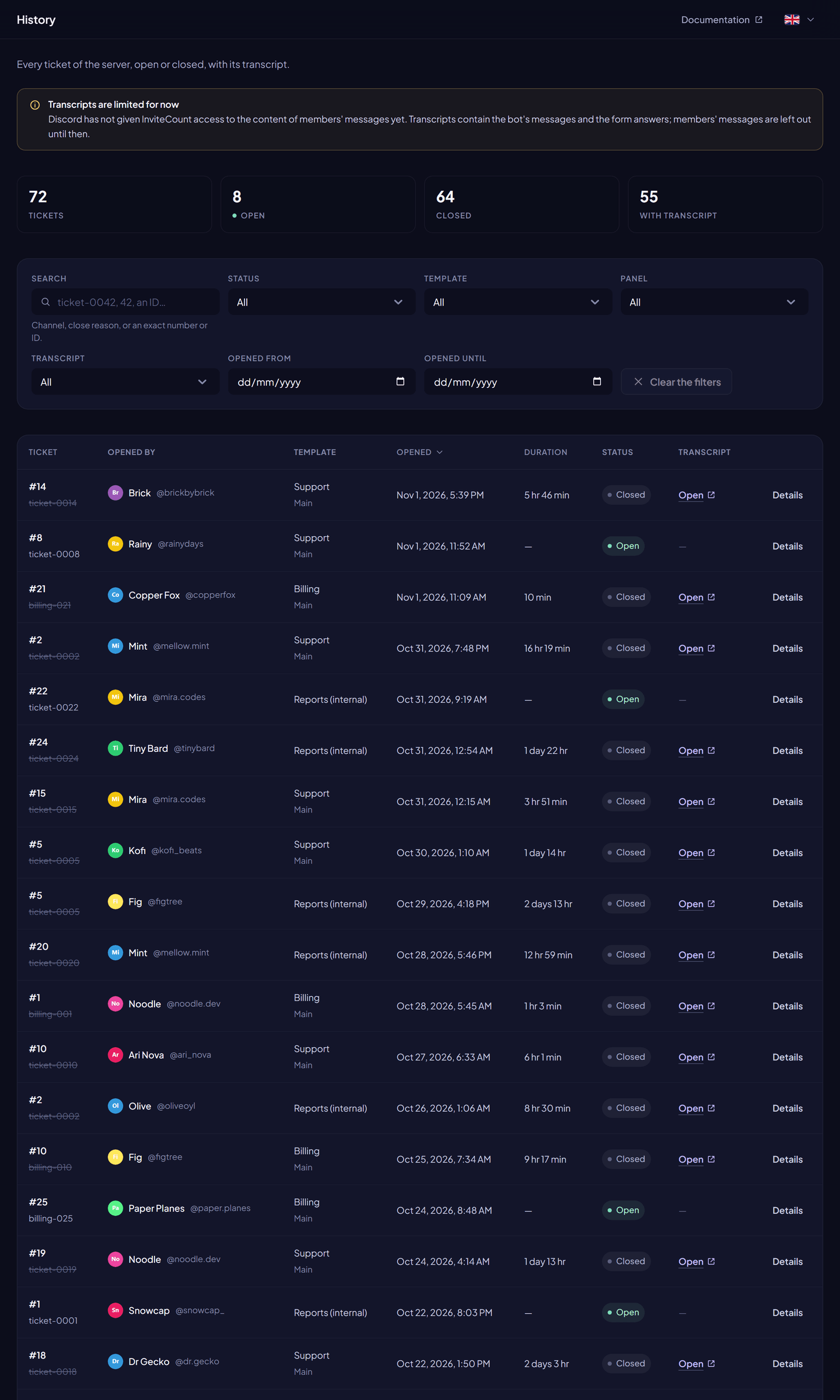
- Counters: total, open, closed, with a transcript.
- Search: channel name or close reason, or exactly a ticket number, ticket ID, opener, closer or channel ID.
- Filters: status, template, panel, with or without transcript, dates of opening, closing and transcript, opener and closer.
- Sort: by opening date, closing date, number or duration.
Open a ticket to see its timeline: created, claimed, unclaimed, escalated, renamed, members and roles added or removed, automations paused or resumed, transcript, closed.
Transcripts#
When transcripts are on in the template, the bot saves a transcript at each close: one HTML page with the last 5,000 messages of the channel and the form answers.
| Who can read a transcript | |
|---|---|
| Members with Administrator or Manage Server | Always |
| Support roles of the ticket's template | Always |
| The opener | When the template gives them access, or the closing DM sent them the link |
Readers always log in with Discord first. Transcripts open on invite-count.xyz.
| Free | Premium | |
|---|---|---|
| Transcripts kept | 30 days | No limit |
Transcripts, and the attachments copied into them, are stored in a private Cloudflare R2 bucket.
Statistics#
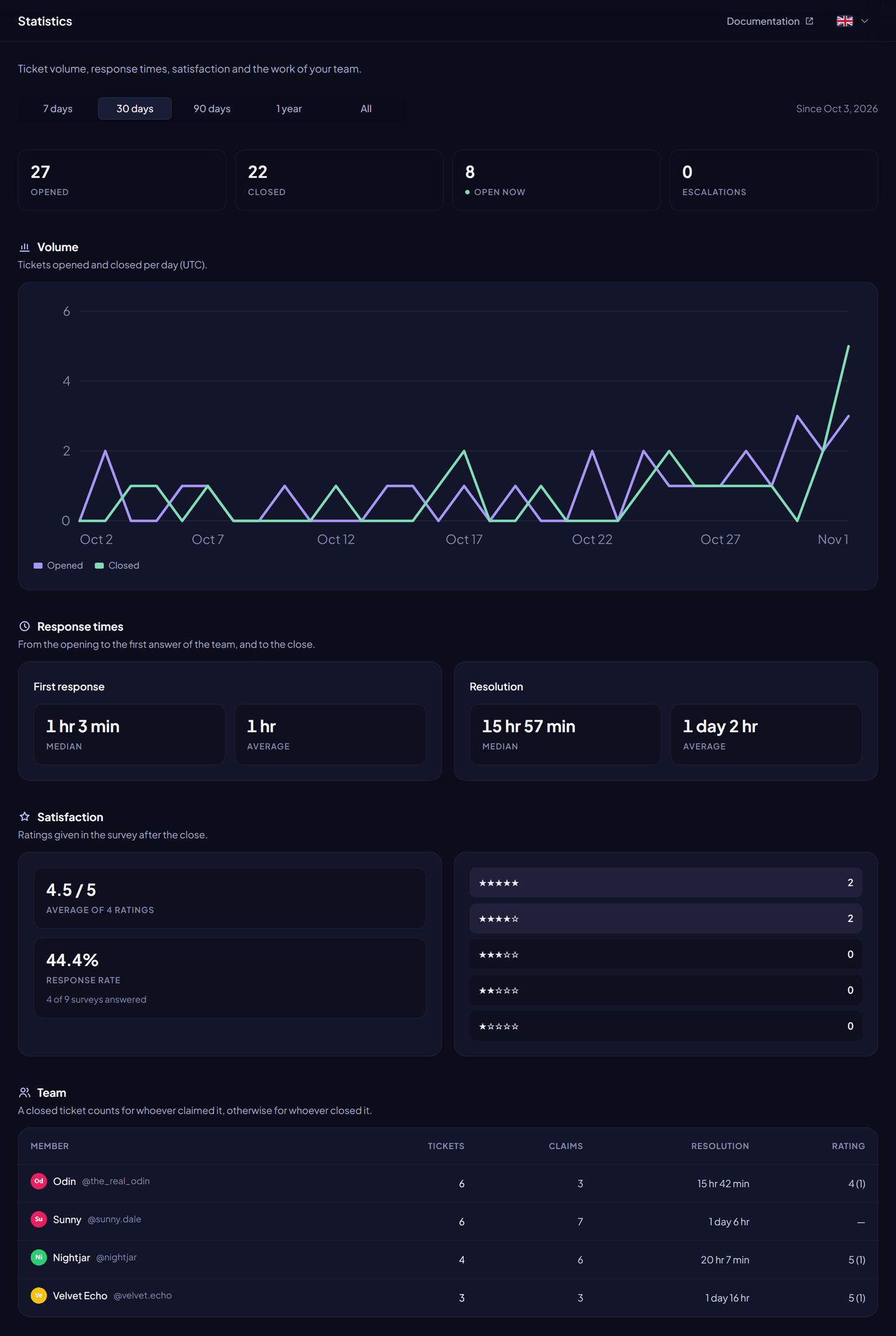
Dashboard → Tickets → Statistics.
| Data | Free | Premium |
|---|---|---|
| Tickets opened, closed, open now | 7 and 30 days | 7 days to all time |
| Daily volume chart | — | ✓ |
| First response time and resolution time (median and mean) | — | ✓ |
| Satisfaction (ratings, response rate) | — | ✓ |
| Escalations | — | ✓ |
| Staff: tickets, claims, average times, satisfaction (top 25) | — | ✓ |
| By template and by panel | — | ✓ |
- First response: the first message of a support member who is not the opener.
- Staff credit: a closed ticket is credited to its claimer, or else to whoever closed it.