Templates
Every setting of a ticket template, tab by tab.
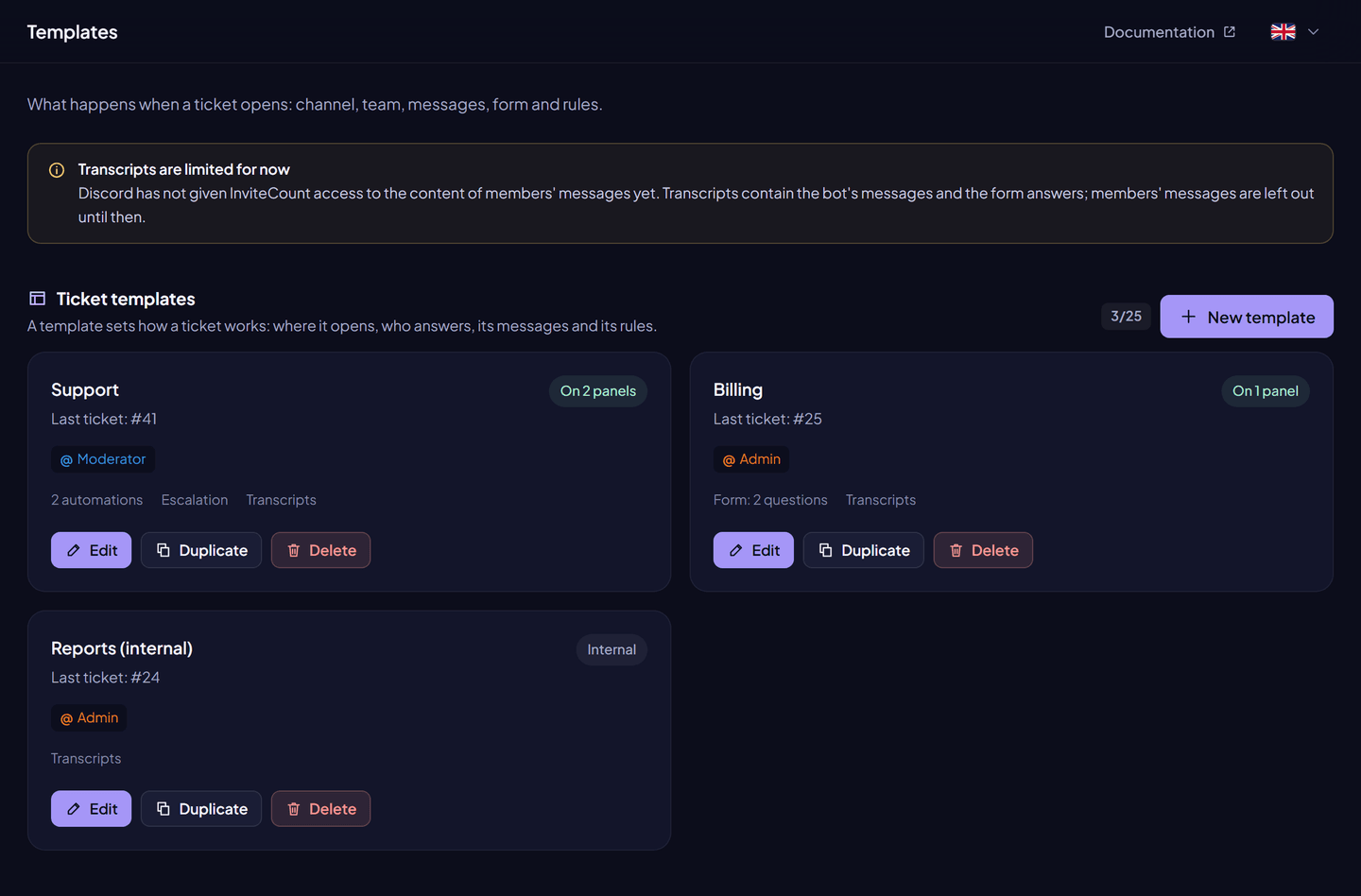
A template says how a ticket behaves. Dashboard → Tickets → Templates → Create, or click a template to edit it.
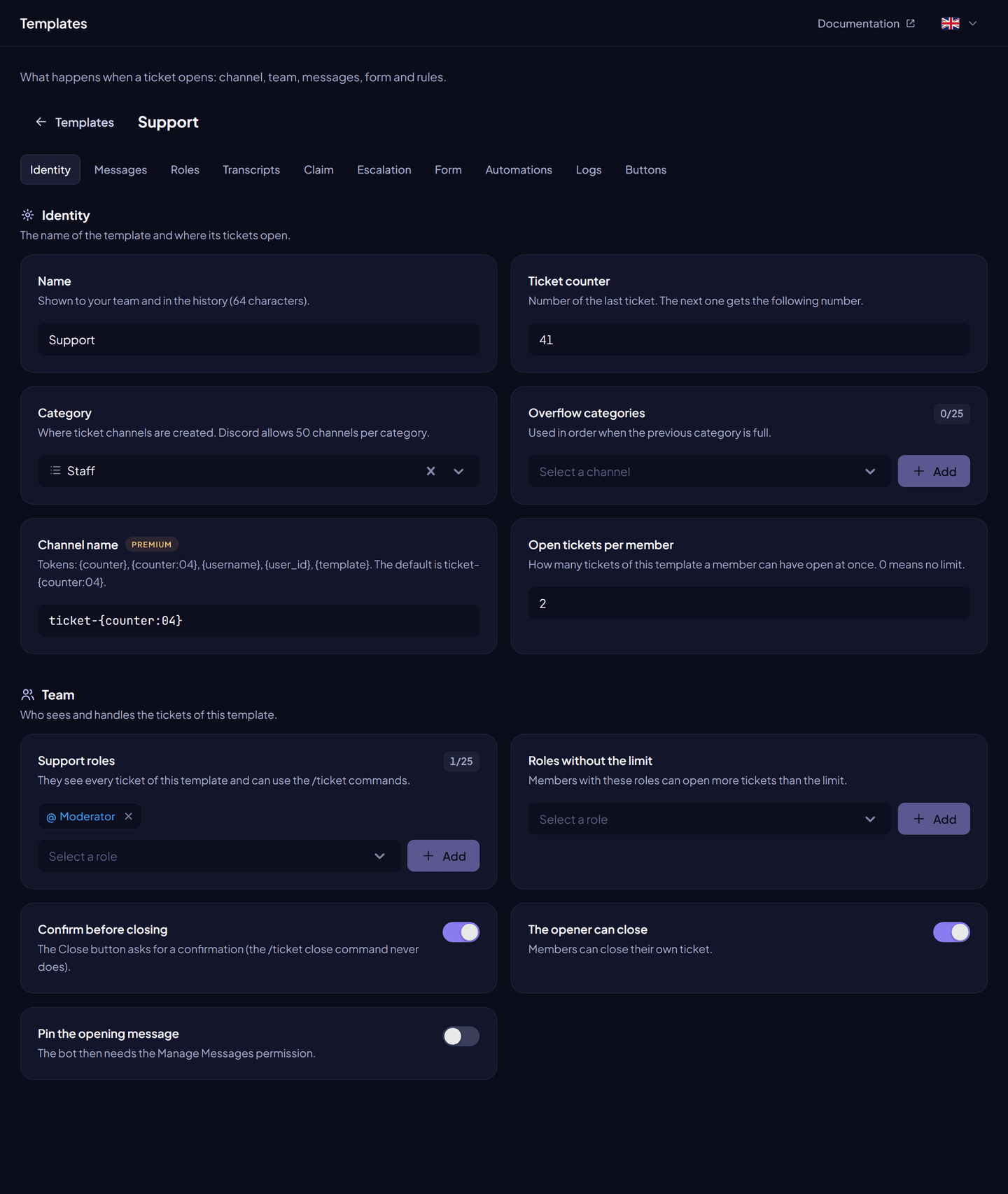
Identity#
| Setting | What it does | Free | Premium |
|---|---|---|---|
| Name | Internal name of the template (1 to 64 characters, unique). | ✓ | ✓ |
| Category | Where ticket channels are created. | ✓ | ✓ |
| Overflow categories | Used in order when the previous category is full (50 channels). | 1 | 25 |
| Channel name | Pattern of the channel name. Tokens: {counter}, {counter:04} (zero-padded), {username}, {user_id}, {template}. | ticket-{counter:04} | Your pattern |
| Support roles | Up to 25 roles that see every ticket of the template and can use the /ticket commands. | ✓ | ✓ |
| Two-step close | The Close button asks for a confirmation (/ticket close never does). | ✓ | ✓ |
| Pin the opening message | Pins the first message (needs Pin Messages). | ✓ | ✓ |
| Max open tickets per member | 0 to 25, 0 = no limit, counted per template. | ✓ | ✓ |
| Roles that bypass the limit | Members with these roles can open more. | ✓ | ✓ |
| Counter | Number of the last ticket. The next one gets counter + 1. | ✓ | ✓ |
| Opener can close | The opener may close their own ticket. On by default. | ✓ | ✓ |
Messages#
| Setting | What it does | Free | Premium |
|---|---|---|---|
| Opening message | Text (2,000 characters) and/or embed posted when the ticket opens, with ticket variables. The form answers are posted under it. | ✓ (images in the embed: Premium) | ✓ |
| Closing DM | Private message to the opener when the ticket closes (1,000 characters), with an optional Open transcript button. | — | ✓ |
| Satisfaction survey | After closing, the opener gets buttons 1 to 5 in DM (question up to 200 characters). One rating per ticket. | — | ✓ |
Roles (Premium)#
Roles given to or taken from the opener when the ticket opens, and when it closes. They must be below the bot's role and yours, and have no moderation permission.
Transcripts#
| Setting | What it does |
|---|---|
| Enabled | Saves an HTML transcript at each close. |
| Transcript channel | Posts a summary with a link button in this channel. |
| Opener access | The opener may read the transcript of their ticket. |
See Transcripts.
Claim#
Claiming lets a staff member take charge of a ticket. Turning claim on is free; the other options are Premium.
| Setting | What it does |
|---|---|
| Enabled | Shows Claim and Unclaim buttons. |
| Only the claimer unclaims | Only the claimer (or an admin) can release the ticket. |
| Restrict actions | While claimed, only the claimer, the opener and admins can act. |
| Allow takeover | Support members can claim a ticket someone else claimed. |
| Opener can claim | The opener may claim. |
| Support roles while claimed | Unchanged, read only, or hidden. |
| Rename while claimed | Channel name while claimed (also {claimer}). The usual name comes back on unclaim. |
| Claim category | Where claimed tickets move, with overflow categories. They move back on unclaim. |
| Roles while claimed | Roles given to or taken from the opener while claimed, undone on unclaim. |
Escalation (Premium)#
Escalation moves a ticket to another team with /ticket escalate <target> [reason].
| Setting | What it does |
|---|---|
| Allowed targets | Templates this one can escalate to (an internal template works). |
| Move to the target's category | Moves the channel. |
| Rename | Uses the target's channel name, with the same number. |
| Replace the support roles | The target's support roles replace the current ones. |
| Unclaim | Releases the ticket. |
| Escalation message | Posted in the ticket (500 characters). Default: This ticket was escalated to X. |
| Post the target's opening message | Posts the target's opening message again. |
Form#
A Discord form shown before the ticket is created. Answers are posted in the ticket and usable as variables.
| Limit | |
|---|---|
| Form title | 45 characters |
| Questions | 3 (free), 5 (premium) |
| Question label | 1 to 45 characters |
| Style | Short or paragraph |
| Required | Yes or no |
| Placeholder | 100 characters |
| Answer length | Minimum and maximum, up to 4,000 characters |
Automations#
Rules that act on their own after a delay.
| Trigger | The delay starts… |
|---|---|
| Ticket created | when the ticket opens. |
| Opener left | when the opener leaves the server. |
| Message found | at each message from the chosen author (anyone, the opener or support). |
| Message not found | at the opening and at each message from the author: the rule runs after that much silence. |
- Actions: send a message (2,000 characters) or close the ticket (with a reason).
- Delay: 0 to 7 days; at least 5 minutes for message triggers and repeated rules.
- Repeat: once per ticket, or again each time (for ticket created and message not found, every delay until the ticket closes).
- Rules due while the bot was offline run when it comes back.
/ticket automation pauseandresumestop and restart them in one ticket.
| Free | Premium | |
|---|---|---|
| Rules per template | 1, only opener left → close | 10, any rule |
Logs#
A log channel and the events posted there: created, closed, transcript, claimed, unclaimed, escalated.
Buttons#
The Close, Claim and Unclaim buttons under the opening message: turn each on or off, and set its label (80 characters), emoji and style. Claim buttons show only when claim is on.